PicoCTF 2023
Hi Mates!
I participated in the picoCTF 2023 organized by Carnegie Mellon University, Which was run from Mar 14 2023 to Mar 28 2023. PicoCTF is a free online cybersecurity competition aimed at middle and high school students, but it’s also suitable for beginners of all ages. It was a great learning experience and I really learnt a lot.
Let me explain the challenges that I have solved in picoCTF 2023.
General Skills : #
I solved all the challenges that were given !
Chrono #
Here is the given challenge :
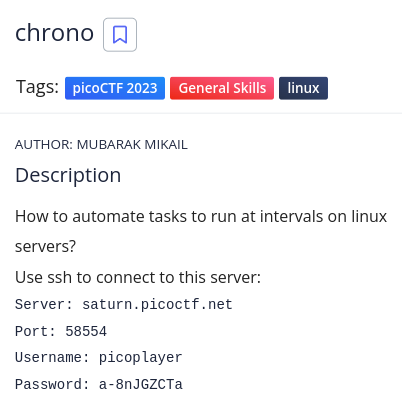
Firstly, We have to launch the instance and connect to the server with given credentials.
Based on the question prompt it had to be cron jobs.
After various attempts to access crontab itself, I tried looking inside /etc/crontab with the cat command.
Flag : picoCTF{Sch3DUL7NG_T45K3_L1NUX_1b4d8744}
Money-ware #
Here is the given challenge :
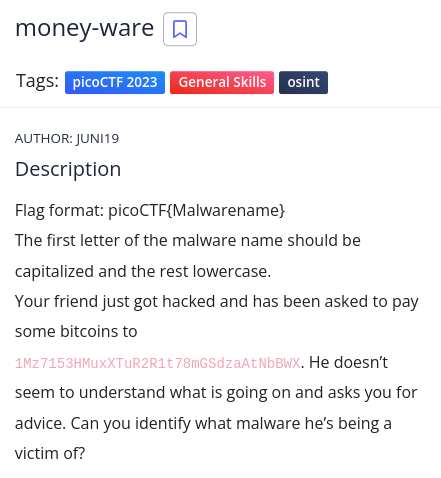
I don’t know what it is but i’m googling 1Mz7153HMuxXTuR2R1t78mGSdzaAtNbBWX, I got the link which had reports with descriptions and one of those descriptions points us to:
More information is here : https://blog.avira.com/petya-strikes-back/
This is an article about a vulnerability called Petya so our answer should be:
Flag : picoCTF{petya}
Permissions #
Here is the given challenge :
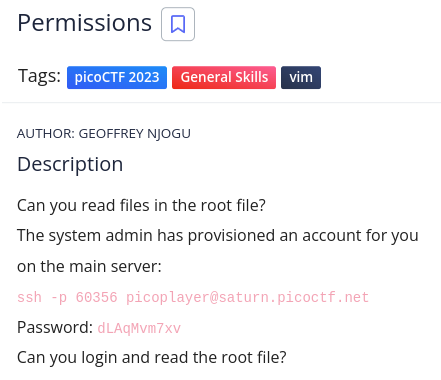
We have to connect the server and cd / , I saw a directory named challenge, inside it there was a file which when cating it game the flag.
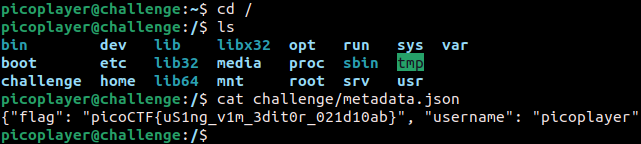
Flag : picoCTF{uS1ng_v1m_3dit0r_021d10ab}
Repetitions #
Here is the given challenge :
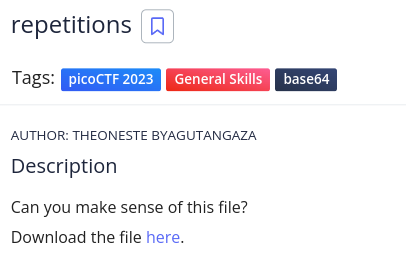
The file itself looks like standard base64 encoding and decoding it will give you the flag use cyberchef. I had to decode with base64 six times to get the flag 😂
Flag : picoCTF{base64_n3st3d_dic0d!n8_d0wnl04d3d_dfe803c6}
Useless #
Here is the given challenge :
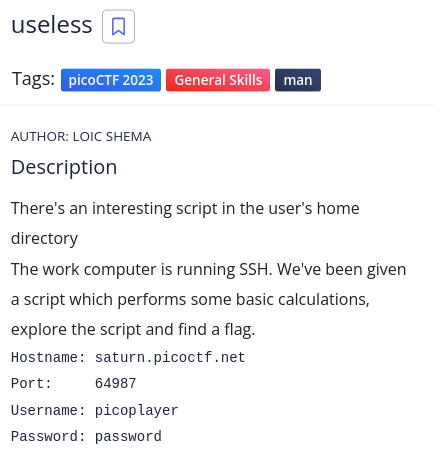
In the home directory there is a file named useless.
After running the command man useless
We got the flag,
Flag : picoCTF{us3l3ss_ch4ll3ng3_3xpl0it3d_3555}
Special #
Here is the given challenge :
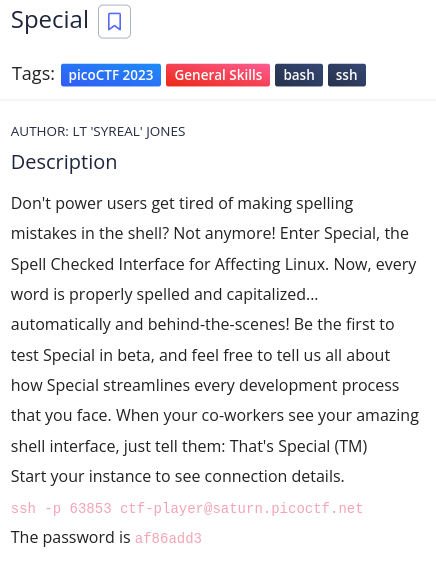
This challenge was hard and to come with this bash script.
My solution was as follows: cat flag.txt | cat /home/ctf-player/*/*.txt
Flag : picoCTF{5p311ch3ck_15_7h3_w0r57_a60bdf40}
***
Specialer #
Here is the given challenge :
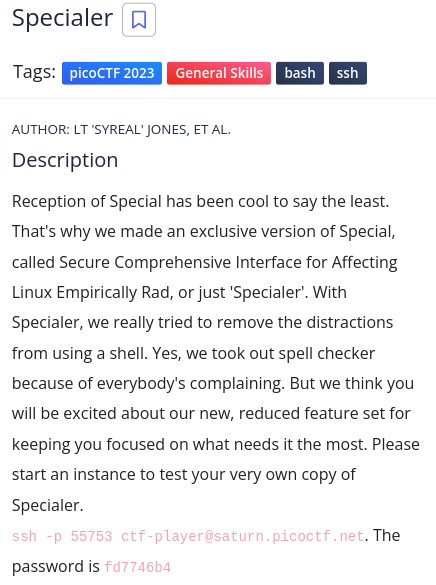
Connecting into the shell we’re not allowed a lot of things like cat, ls....
After a lot of tries,
My solution was as follows: echo "$( < /home/ctf-player/ala/kazam.txt)"
Now we got the flag :
Flag : picoCTF{5p311ch3ck_15_7h3_w0r57_a60bdf40}
Cryptographhy : #
Although I couldn’t solve all the challenges, I managed to solve some of the challenges that I knew how to do!
HideToSee #
Here is the given challenge :
Lets download the file.
This is a jpeg file. We’ll be using a tool called steghide to extract information from this jpeg file, Use : steghide -sf --extract atbash.jpg
Here we got a text file called encrypted.txt, Use : cat encrypted.txt
krxlXGU{zgyzhs_xizxp_8z0uvwwx}
It looks like flag but it’s not.
Now just need to decode atbash and you’re done
We got the flag,
Flag : picoCTF{atbash_crack_6c4bcb08}
ReadMyCert #
Here is the given challenge :
Lets download the file.
From the hint we were try to read the file. Bang !! 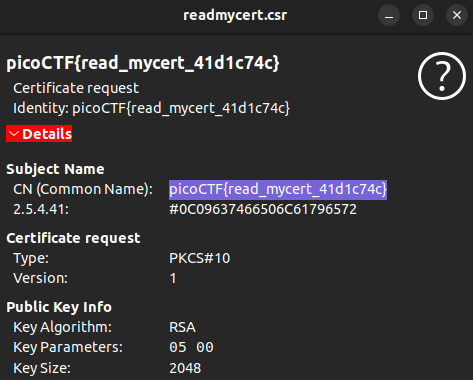
And the flag is,
Flag : picoCTF{read_mycert_41d1c74c}
Rotation #
Here is the given challenge :
Lets download the file and open with cat encrypted.txt
xqkwKBN{z0bib1wv_l3kzgxb3l_555957n3}
We got another encrypted text having the flag format. I got to know that this is a caesar cipher, so I used to decrypt with this online tool
It is a simple Rotation cipher, brute-forcing works fine.
Here is the flag,
Flag : picoCTF{r0tat1on_d3crypt3d_949af1a1}
Forensics : #
Hideme #
Here is the given challenge :
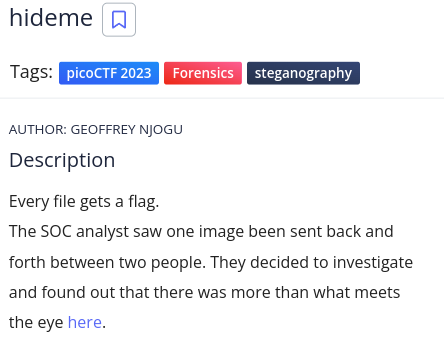
Lets download the file and check file type with exiftool
┌──[m4r10@parrot]─[/media/sf_CyberSec/task_files]
└─$ file flag.png
flag.png: PNG image data, 512 x 504, 8-bit/color RGBA, non-interlaced

┌──[m4r10@parrot]─[/media/sf_CyberSec/task_files]
└─$ exiftool flag.png
ExifTool Version Number         : 12.57
File Name                       : flag.png
Directory                       : .
File Size                       : 43 kB
File Modification Date/Time     : 2023:03:22 19:38:37+01:00
File Access Date/Time           : 2023:03:22 19:38:53+01:00
File Inode Change Date/Time     : 2023:03:22 19:38:48+01:00
File Permissions                : -rw-r--r--
File Type                       : PNG
File Type Extension             : png
MIME Type                       : image/png
Image Width                     : 512
Image Height                    : 504
Bit Depth                       : 8
Color Type                      : RGB with Alpha
Compression                     : Deflate/Inflate
Filter                          : Adaptive
Interlace                       : Noninterlaced
Warning                         : [minor] Trailer data after PNG IEND chunk
Image Size                      : 512x504
Megapixels                      : 0.258
This is a PNG, So we can observe the header using a tool called zsteg
┌─[m4r10@parrot]─[/media/sf_CyberSec/task_files]
└──╼ $zsteg flag.png
[?] 3191 bytes of extra data after image end (IEND), offset = 0x9b3b
extradata:0         .. file: Zip archive data, at least v1.0 to extract
    00000000: 50 4b 03 04 0a 00 00 00  00 00 3a 10 70 56 00 00  |PK........:.pV..|
    00000010: 00 00 00 00 00 00 00 00  00 00 07 00 1c 00 73 65  |..............se|
    00000020: 63 72 65 74 2f 55 54 09  00 03 8f 78 12 64 8f 78  |cret/UT....x.d.x|
    00000030: 12 64 75 78 0b 00 01 04  00 00 00 00 04 00 00 00  |.dux............|
    00000040: 00 50 4b 03 04 14 00 00  00 08 00 3a 10 70 56 67  |.PK........:.pVg|
    00000050: 45 23 b5 35 0b 00 00 d0  0b 00 00 0f 00 1c 00 73  |E#.5...........s|
    00000060: 65 63 72 65 74 2f 66 6c  61 67 2e 70 6e 67 55 54  |ecret/flag.pngUT|
    00000070: 09 00 03 8f 78 12 64 8f  78 12 64 75 78 0b 00 01  |....x.d.x.dux...|
    00000080: 04 00 00 00 00 04 00 00  00 00 cd 56 59 3c 14 fc  |...........VY<..|
    00000090: 1a fe 87 b2 26 1f 22 5b  a3 65 1a 59 c6 30 76 33  |....&."[.e.Y.0v3|
    000000a0: c4 47 92 35 44 f6 35 bb  6c 43 1a 65 64 49 85 10  |.G.5D.5.lC.edI..|
    000000b0: 45 d9 3e 6a ec 63 9d 21  64 df 69 08 23 fb 12 45  |E.>j.c.!d.i.#..E|
    000000c0: f6 65 2c 8d 8a 33 e7 77  ae ce c5 b9 3f ef c5 fb  |.e,..3.w....?...|
    000000d0: bc db 73 f7 fe 9e df f3  cc d8 50 e7 34 9b 20 1b  |..s.......P.4. .|
    000000e0: 00 e0 b4 ee 0d 2d 13 00  18 ee d0 6b 59 2e 7a 02  |.....-.....kY.z.|
    000000f0: 7b 3e 57 cc e9 c0 e4 a6  61 a0 01 40 45 02 fb 6f  |{>W.....a..@E..o|
Interesting 😎. So, I went ahead to unzip command : unzip flag.png
┌──[m4r10@parrot]─[/media/sf_CyberSec/task_files]
└─$ unzip flag.png
Archive:  flag.png
warning [flag.png]:  39739 extra bytes at beginning or within zipfile
  (attempting to process anyway)
   creating: secret/
  inflating: secret/flag.png

┌──[m4r10@parrot]─[/media/sf_CyberSec/task_files]
└─$ ls
flag.png  secret

┌──[m4r10@parrot]─[/media/sf_CyberSec/task_files]
└─$ cd secret

┌──[m4r10@parrot]─[/media/sf_CyberSec/task_files/secret]
└─$ ls
flag.png
Now, Just you have to open flag.png.
Yeah, we got the flag :
Flag : picoCTF{Hiddinng_An_imag3_within_@n_ima9e_82101824}
PcapPoisoning #
Here is the given challenge :
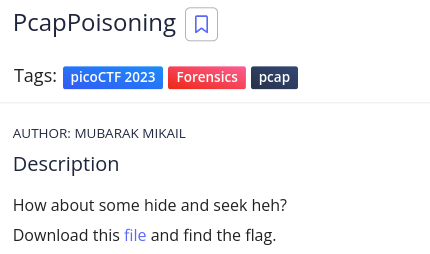
Lets download the file
┌──[m4r10@parrot]─[/media/sf_CyberSec/task_files]
└─$ ls
flag.png  secret  trace.pcap

┌──[m4r10@parrot]─[/media/sf_CyberSec/task_files]
└─$ file trace.pcap
trace.pcap: pcap capture file, microsecond ts (little-endian) - version 2.4 (Raw IPv4, capture length 65535)
This is a pcap file. So, We have to check through wireshark. But if possible we can find the flag using command grep.
just checking with command : strings trace.pcap | grep -i "pico"
┌──[m4r10@parrot]─[/media/sf_CyberSec/task_files]
└─$ strings trace.pcap | grep -i "pico"
picoCTF{P64P_4N4L7S1S_SU55355FUL_31010c46}
Yayyy😉!, We got the flag :
Flag : picoCTF{P64P_4N4L7S1S_SU55355FUL_31010c46}
Reverse Engineering : #
Reverse #
Here is the given challenge :
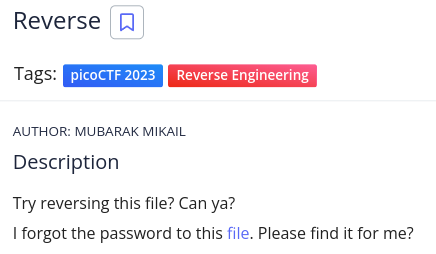
Lets download the file and check file type with exiftool
┌──[m4r10@parrot]─[/media/sf_CyberSec/task_files]
└─$ file ret
ret: ELF 64-bit LSB pie executable, x86-64, version 1 (SYSV), dynamically linked, interpreter /lib64/ld-linux-x86-64.so.2, BuildID[sha1]=7f12d7198b75bd4d9f159e7a45141d4f13836e51, for GNU/Linux 3.2.0, not stripped

┌──[m4r10@parrot]─[/media/sf_CyberSec/task_files]
└─$ exiftool ret
ExifTool Version Number         : 12.57
File Name                       : ret
Directory                       : .
File Size                       : 17 kB
File Modification Date/Time     : 2023:03:30 12:41:59+01:00
File Access Date/Time           : 2023:03:30 12:42:27+01:00
File Inode Change Date/Time     : 2023:03:30 12:42:01+01:00
File Permissions                : -rw-r--r--
File Type                       : ELF shared library
File Type Extension             : so
MIME Type                       : application/octet-stream
CPU Architecture                : 64 bit
CPU Byte Order                  : Little endian
Object File Type                : Shared object file
CPU Type                        : AMD x86-64
Cool, It is an executable file, Once again we can check with the command strings ret | grep -i "pico"
We got the flag,
Flag : picoCTF{3lf_r3v3r5ing_succe55ful_fa9cb3b1}
Safe Opener 2 #
Here is the given challenge :
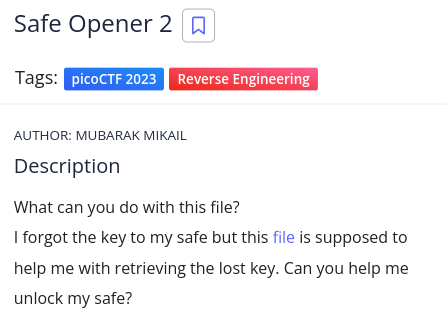
Lets download the file and check file type with exiftool
┌──[m4r10@parrot]─[/media/sf_CyberSec/task_files]
└─$ file SafeOpener.class
SafeOpener.class: compiled Java class data, version 52.0 (Java 1.8)

┌──[m4r10@parrot]─[/media/sf_CyberSec/task_files]
└─$ exiftool SafeOpener.class
ExifTool Version Number         : 12.57
File Name                       : SafeOpener.class
Directory                       : .
File Size                       : 2.0 kB
File Modification Date/Time     : 2023:03:30 12:46:01+01:00
File Access Date/Time           : 2023:03:30 12:46:24+01:00
File Inode Change Date/Time     : 2023:03:30 12:46:16+01:00
File Permissions                : -rw-r--r--
File Type                       : Java bytecode
File Type Extension             : class
MIME Type                       : application/java-byte-code
Just like before challenge, We’ll be checking with the strings command : strings SafeOpener.class | grep -i "pico"
Coooooool, we got the flag.
Flag : picoCTF{SAf3_0p3n3rr_y0u_solv3d_it_198203f7}
Binary Exploitation : #
Two-Sum #
Here is the given challenge :
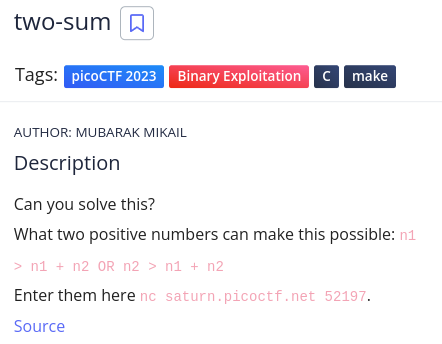
Trying it locally works and the reason is beacause the maximum value of a signed integer is 2147483647 so giving it 1 goes above the maximum value.
┌─[m4r10@parrot]─[/media/sf_CyberSec/task_files]
└──╼ $nc saturn.picoctf.net 52197.
n1 > n1 + n2 OR n2 > n1 + n2
What two positive numbers can make this possible:
2147483647
1
You entered 2147483647 and 1
You have an integer overflow
YOUR FLAG IS: picoCTF{Tw0_Sum_Integer_Bu773R_0v3rfl0w_fe14e9e9}
Yahooo !, We got the flag😎
Flag : picoCTF{Tw0_Sum_Integer_Bu773R_0v3rfl0w_bc0adfd1}